Testing & Execution
Real test cycle management for enterprise software implementations. AI-generated test cases, multi-tester execution, integrated defect loops, and end-to-end traceability from requirement to retest.
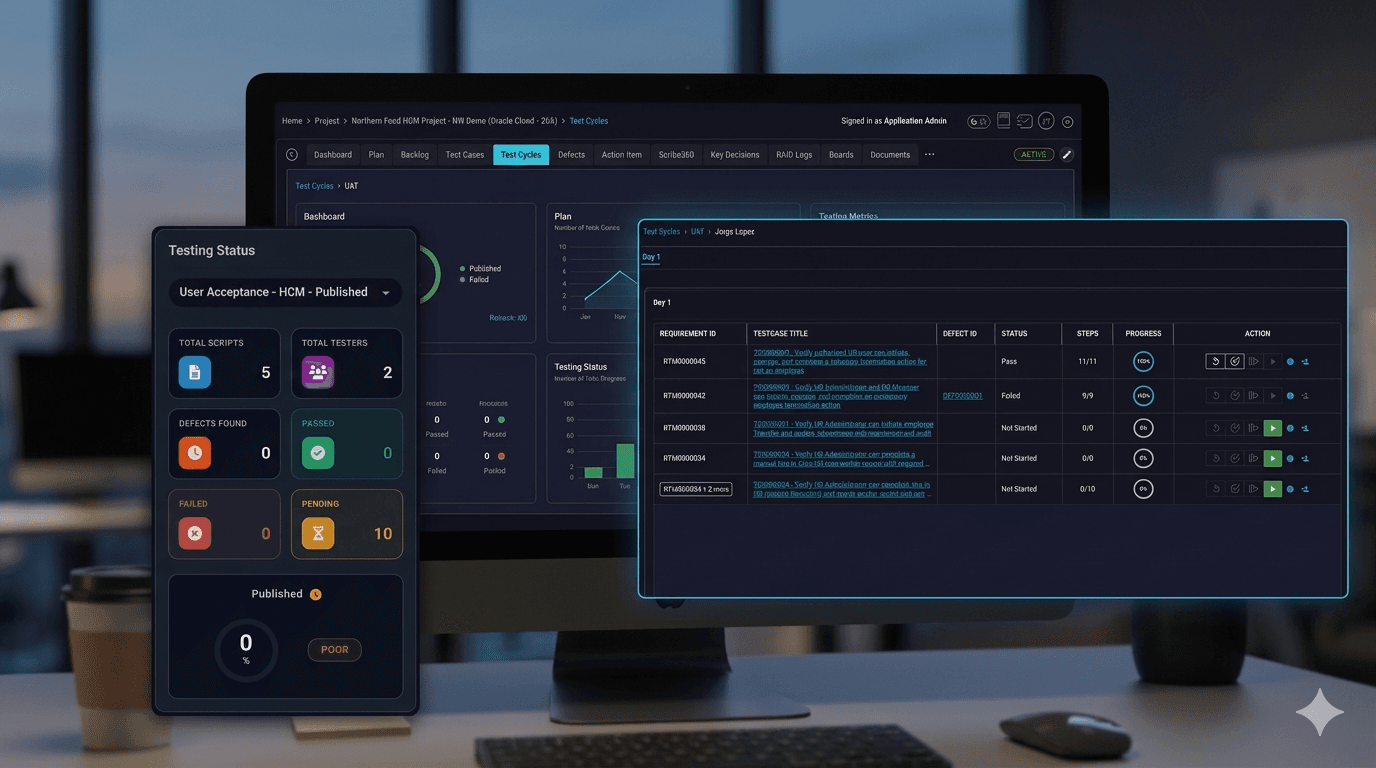
Built for enterprise implementation testing — not generic ticket testing
Most testing tools were designed for software development teams running sprints. Enterprise implementations are different. Testing happens in formal cycles — SIT, UAT, payroll parallel, regression, go-live readiness — with hundreds of testers, business users who join only during UAT, modules that have to be tested by day or workstream, and defects that need to flow back into retesting.
SaaSMap treats every part of that reality as a first-class concept. You don't configure your way to a working testing process — it is the working testing process.
Generate test cases the way your team actually thinks about them
Test case authoring is one of the most time-consuming parts of implementation delivery. SaaSMap brings AI directly into the authoring loop and grounds it in your actual requirements — so the test case knows the business context, not just generic patterns.
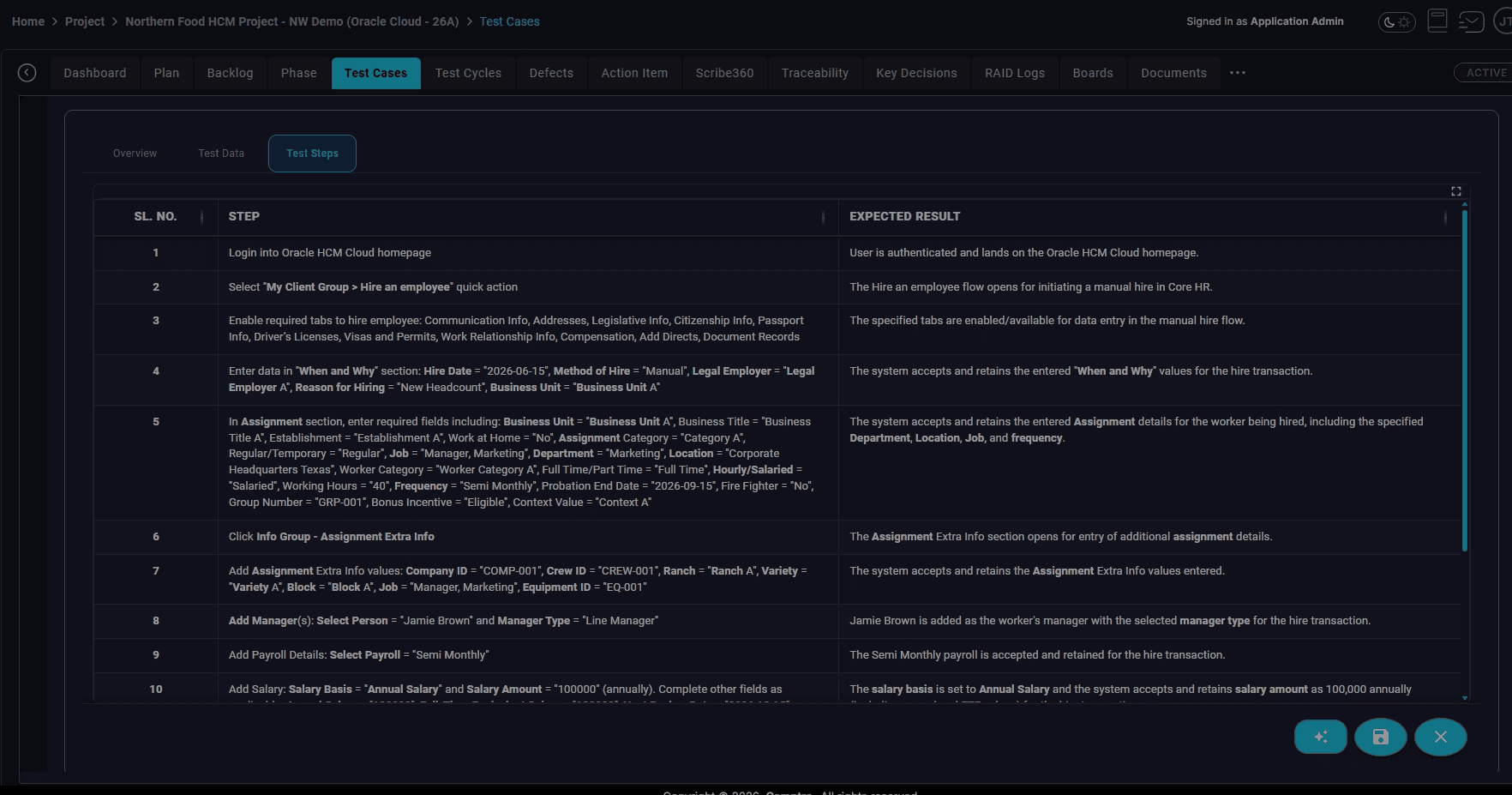
- ✓Generate from a single requirement — AI uses one requirement to produce a complete test case: title, objective, preconditions, detailed steps, sample data, expected results, and validation points.
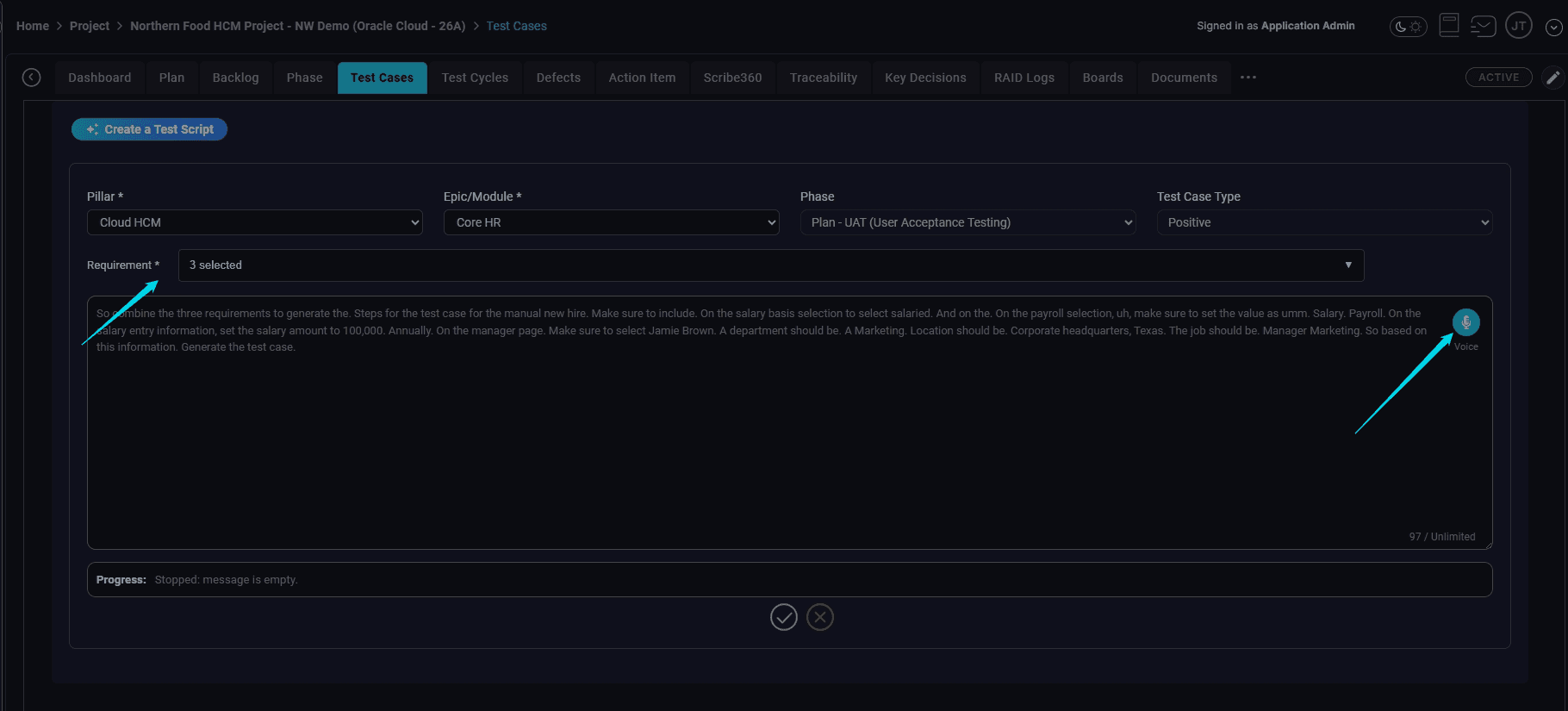
- ✓Generate from multiple requirements — Select multiple related requirements; AI consolidates them into an end-to-end test case. Reflects how business processes are actually tested, not forced one-test-per-requirement structure.
- ✓Voice-based test case creation — Consultants describe the process verbally. AI structures it into a full test case. No typing required.
- ✓Voice AI test case editing — Refine test cases conversationally. “Add a validation step to confirm salary flows into payroll.” “Add a negative scenario where required information is missing.” AI revises in place.
- ✓Positive, negative, boundary, and edge variants — AI automatically produces coverage variants. Invalid input, character limits, unusual but possible scenarios — coverage that testers usually skip when authoring by hand.
- ✓Reusable test case library — Systems integrators maintain test libraries by module (Oracle Cloud Payroll, Workday HCM, SAP Finance, Salesforce Service Cloud) and pull them into new projects, then tailor with AI. Testing IP that compounds across engagements.
Run formal test cycles the way enterprise implementations actually need
Test cases are only half the picture. The harder problem is managing execution at scale — multiple cycles running in parallel, hundreds of testers, business users with limited access, defects flowing back into retests, and leadership asking for status every day. SaaSMap's test cycle management is purpose-built for this.
Multiple parallel testing cycles
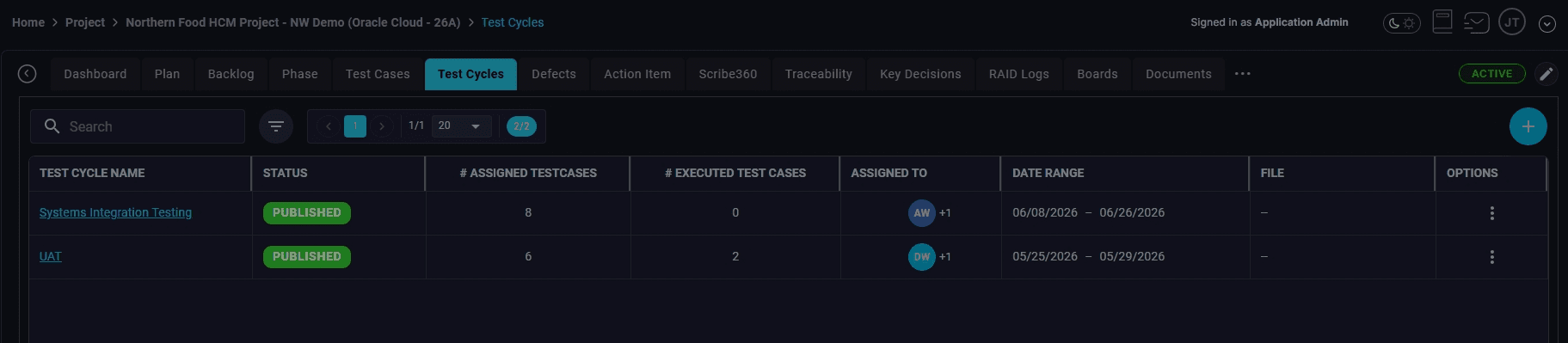
A project can have many concurrent test cycles, each with its own start date, end date, linked phase, assigned teams, grouped test cases, and progress tracking:
Each cycle is a formal project event with full governance — not a tag on a Jira ticket.
- ✓SIT Cycle 1 and SIT Cycle 2
- ✓UAT Cycle 1 and UAT Cycle 2
- ✓Payroll Parallel Cycle 1 and 2
- ✓Regression testing
- ✓Go-Live readiness testing
Testing teams
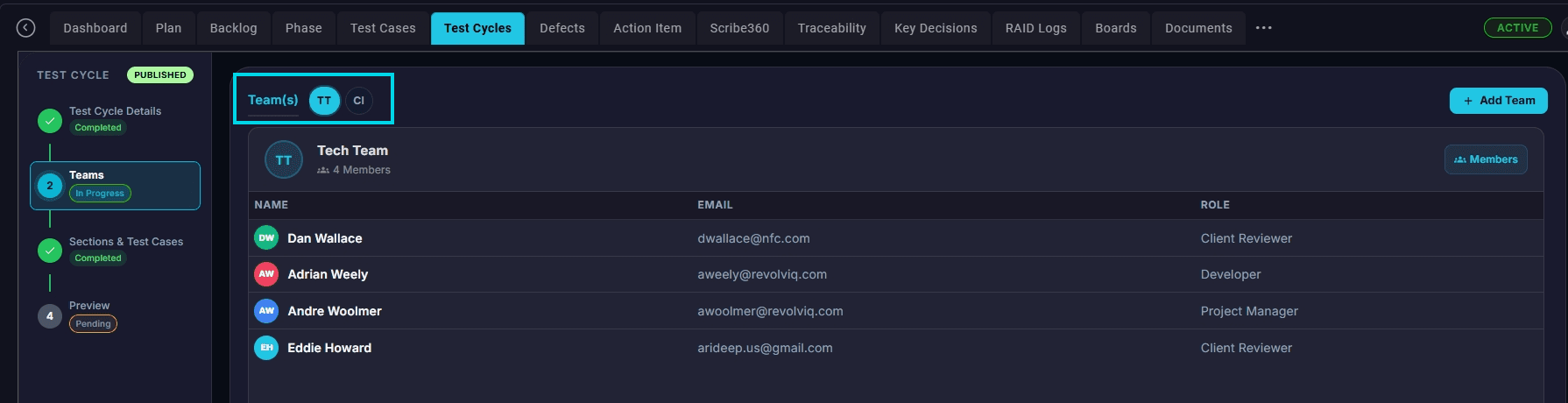
Define testing teams the way your project is actually organized — Core HR, Payroll, Benefits, Finance, Integration, Security. Each team owns the test cases for its functional area, and team leads see only what is relevant to them.
Flexible test case grouping inside a cycle
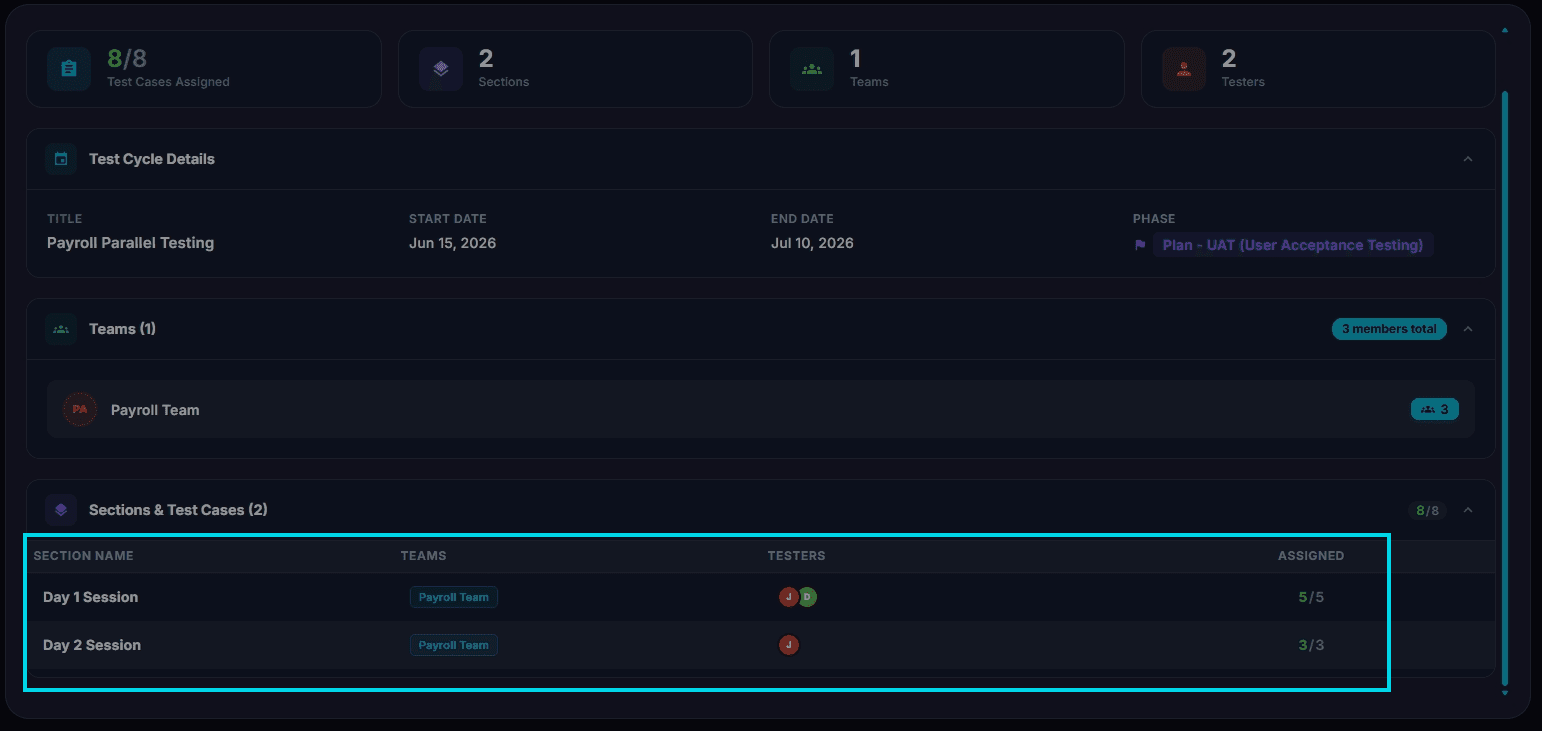
Group test cases by testing day, module, workstream, business process, geography, functional area, or priority. Prevents testers and PMs from drowning in hundreds of unorganized test cases.
Example — three-day UAT event: Day 1: Core HR and Security · Day 2: Payroll and Benefits · Day 3: Integrations and Reporting
Example — combined HCM and ERP go-live: group by HCM, ERP, Payroll, General Ledger, Accounts Payable, and Expenses.
Launch and notify
Configure the cycle, launch it, and testers receive notifications with direct links to their assigned tests. No setup required on the tester side.
Bring business testers in for UAT — without giving them the whole project
In real implementations, business testers are pulled in only during UAT. They don't need — and shouldn't have — access to the entire project workspace. SaaSMap supports this natively with a dedicated Client Tester role that sees only assigned test cycles.
- ✓No broad workspace access required for short-term participants
- ✓Lower risk of accidental edits to project artifacts
- ✓Cleaner onboarding for business users — they see only what they need to test
- ✓Faster ramp-up for UAT events
The same test case, multiple testers, independent results
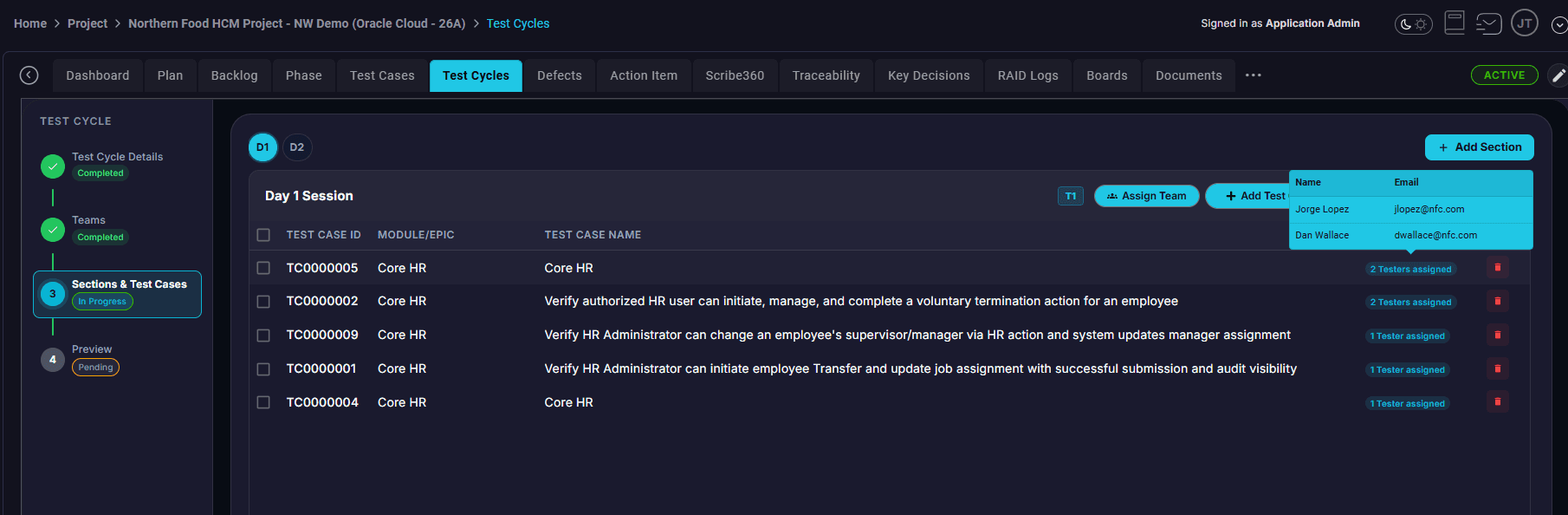
Enterprise testing is not single-tester. An HR Admin, Payroll Admin, Regional HR Lead, Security Tester, and Manager Self-Service tester may all execute the same business process. One may pass; another may fail.
Most tools store a single pass/fail per test case and overwrite — losing critical signal. SaaSMap preserves each tester's result independently. PMs can see exactly which roles encountered which problems, not just an aggregate verdict.
Defects that stay connected to the test, the tester, and the requirement
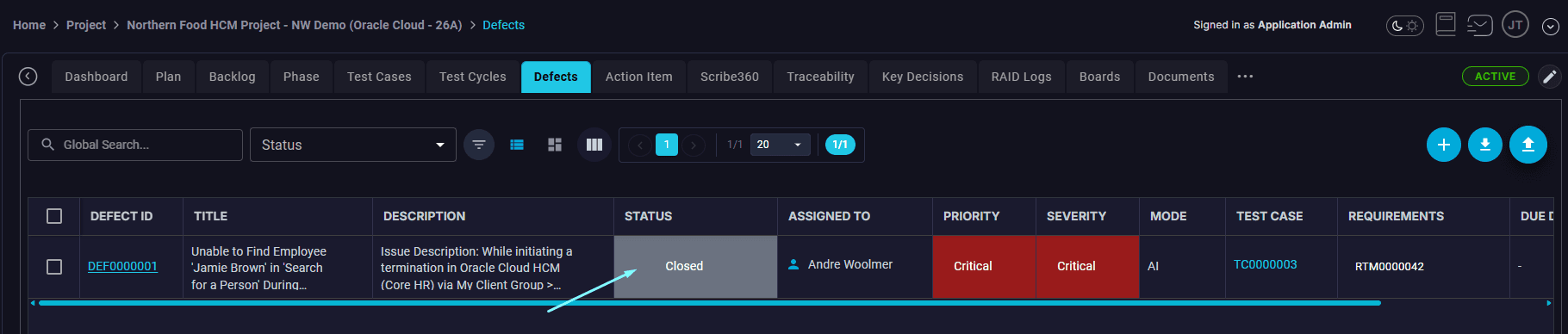
When a tester fails a test case, they create a defect directly from the failed step. The defect carries forward the full context: which test case failed, who tested, which requirement was being validated, which phase, which cycle, whether retesting is required.
Defects can be created manually with full fields (title, description, severity, priority, assignee, status, related module, attachments, comments) — or by voice.
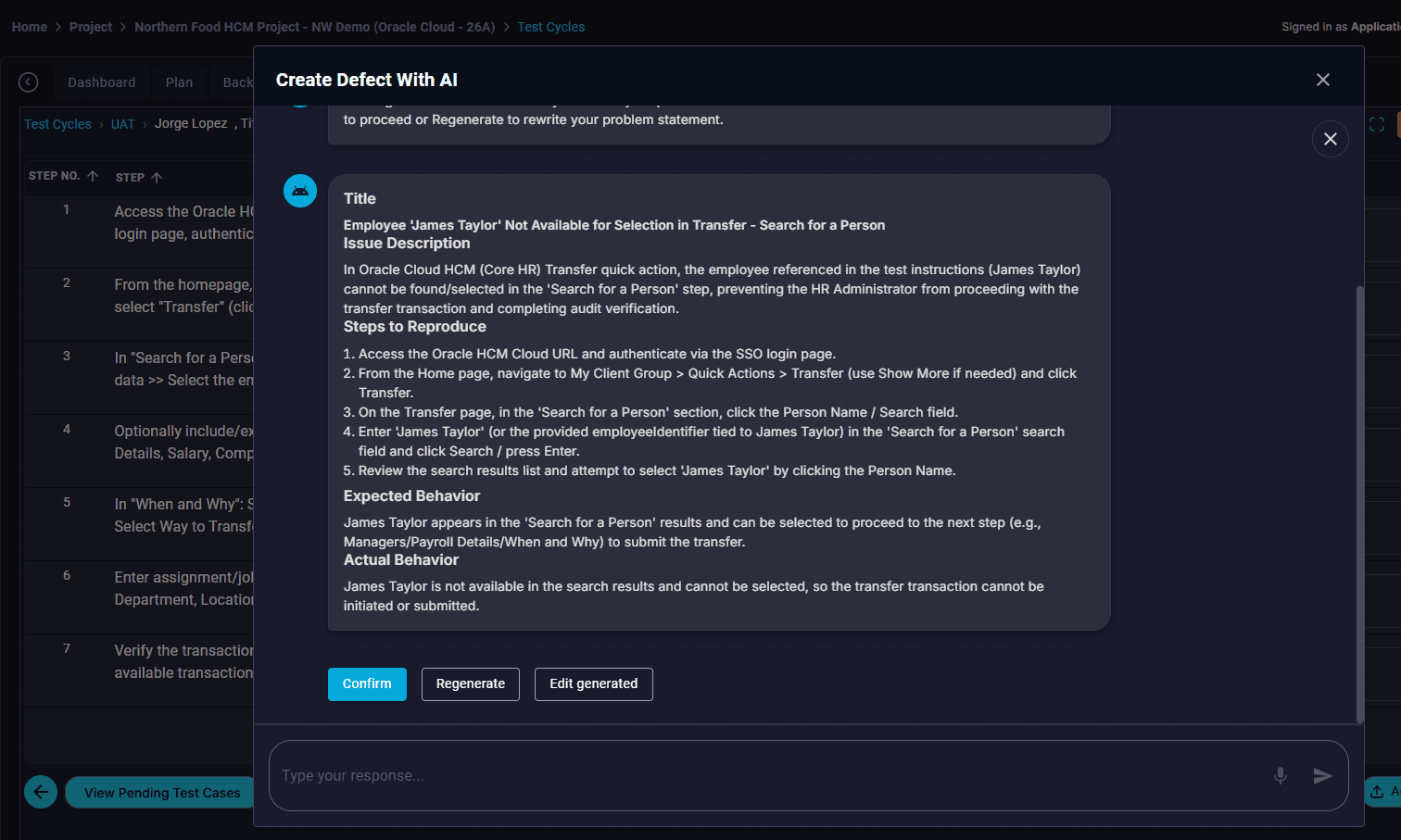
Voice AI defect creation
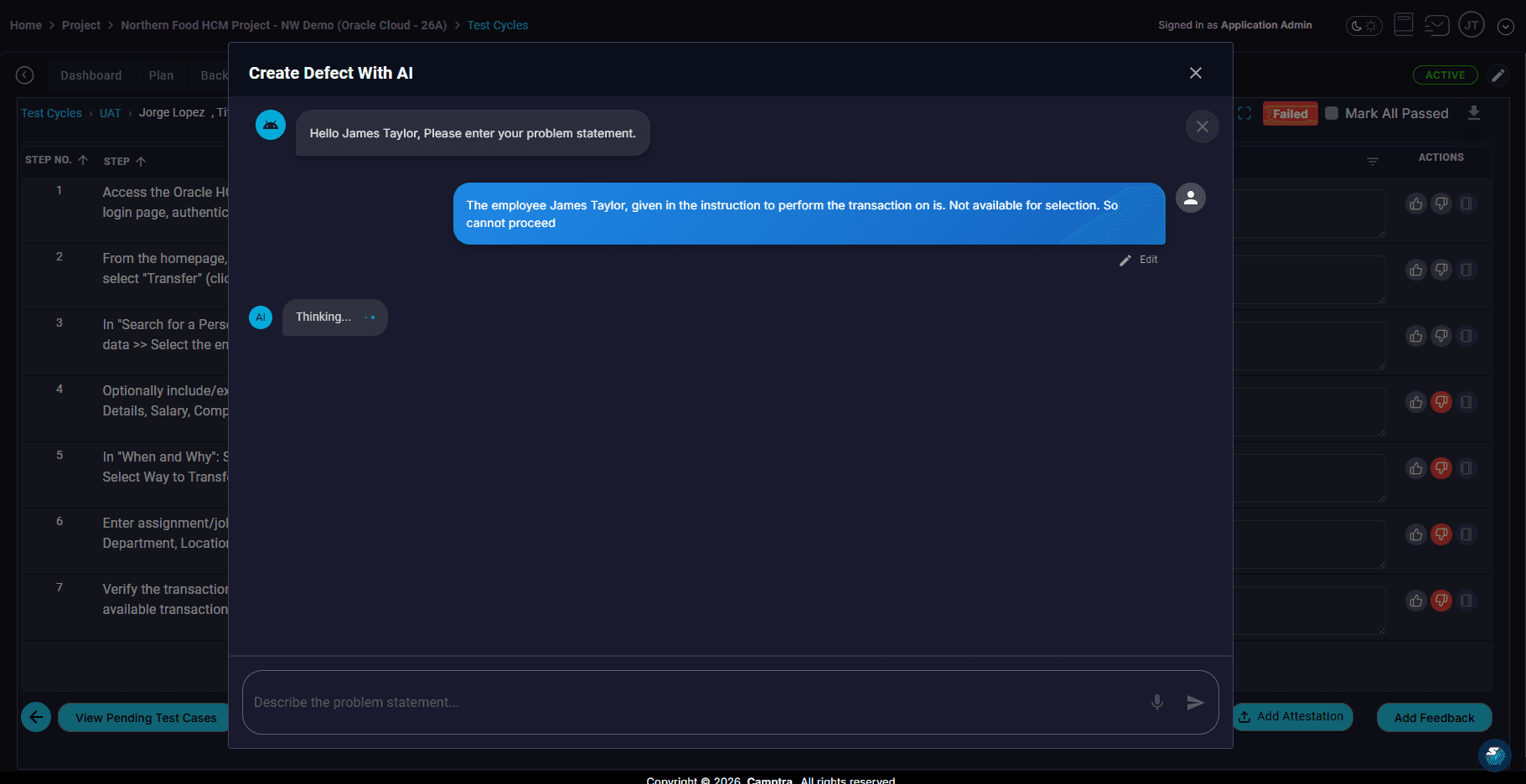
Typed defects are often incomplete — missing steps to reproduce, expected result, actual result, business impact, environment details. With voice AI, the tester just describes what happened. AI structures it into a complete, well-formed defect.
Defect resolved → tester notified → retest tracked
Retesting is where spreadsheet-driven testing most often breaks down. Defects get fixed but the loop back to the tester goes unrecorded, or the retest happens but isn't tied back to the original test case.
In SaaSMap, when a defect is resolved, the original tester is automatically notified and asked to retest the linked scenario. The retest result is preserved against the original test case, the defect, and the requirement — closing the loop with a full audit trail.
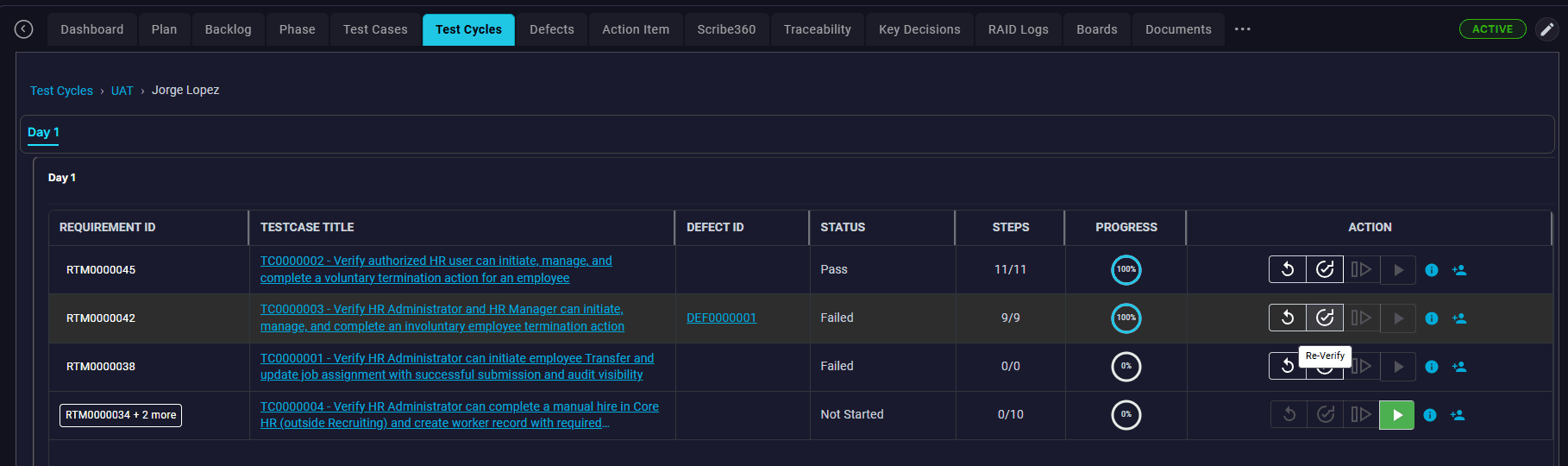
Understand testing status without consolidating spreadsheets
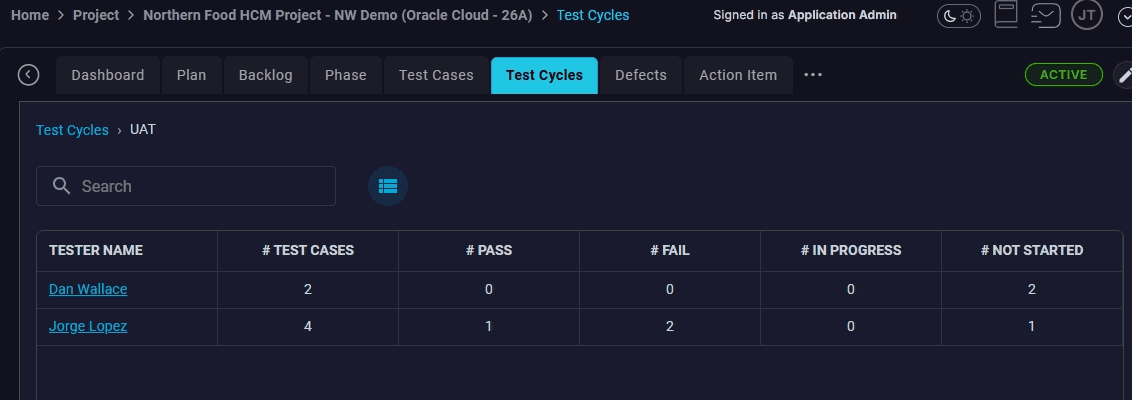
PMs and leadership get a live view across every cycle without anyone preparing a status deck:
- ✓Who has started testing, who has not
- ✓Percent complete by tester, by team, by module
- ✓Passed / failed / in-progress counts
- ✓Outstanding retests
- ✓Defects created during the cycle, by severity
- ✓Coverage of requirements in scope for the phase
Every test, defect, and retest connects back to the requirement and the SOW
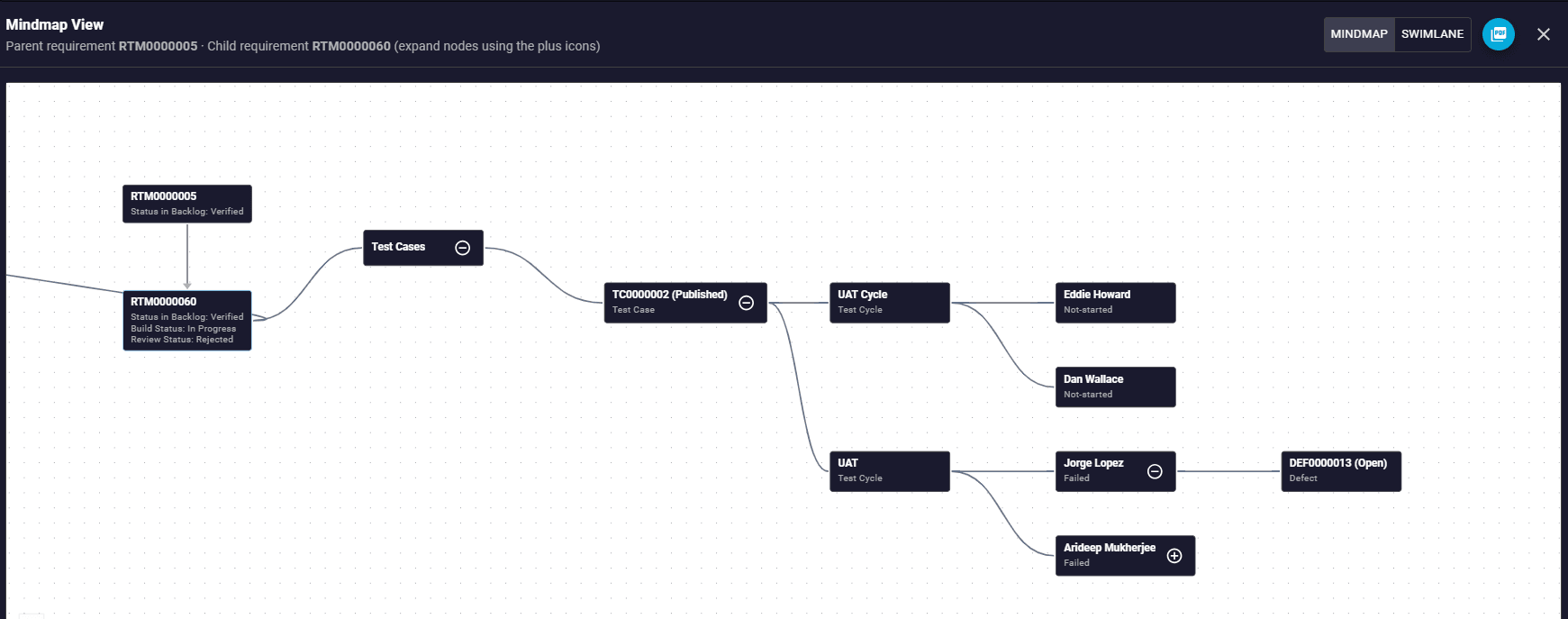
Testing in SaaSMap is not an isolated activity. For any requirement, the platform automatically maintains the lineage:
Requirement → Test case → Cycle → Tester → Result → Defect → Resolution → Retest
This is the audit-ready execution record produced as a byproduct of normal work. Useful for go-live sign-off, client transparency, post-go-live support, and any future scope or quality dispute.
Built for implementation testing, not retrofitted for it
Xray and TestRail are strong dedicated testing tools. Jira can manage defects well. Excel is flexible and familiar. None of them were designed around the cycle structure, multi-tester reality, and client-tester access pattern of enterprise software implementations.
See test cycle management in action
Run your next UAT on SaaSMap. A contained pilot, a clear start and end, and capabilities your current tool doesn't have.