View Requirement Traceability in Mindmap and Swimlane Views
Use the Traceability tab to explore how a parent requirement connects to downstream work items (child requirements, action items, test cases, and key decisions). Start from the Parent Requirements list, load a parent's children, then open the interactive visualization. Switch between Swimlane View (lane-based flow) and Mindmap View (node-and-branch view). Expand relationships tree by clicking on the + sign.
Open the Traceability workspace
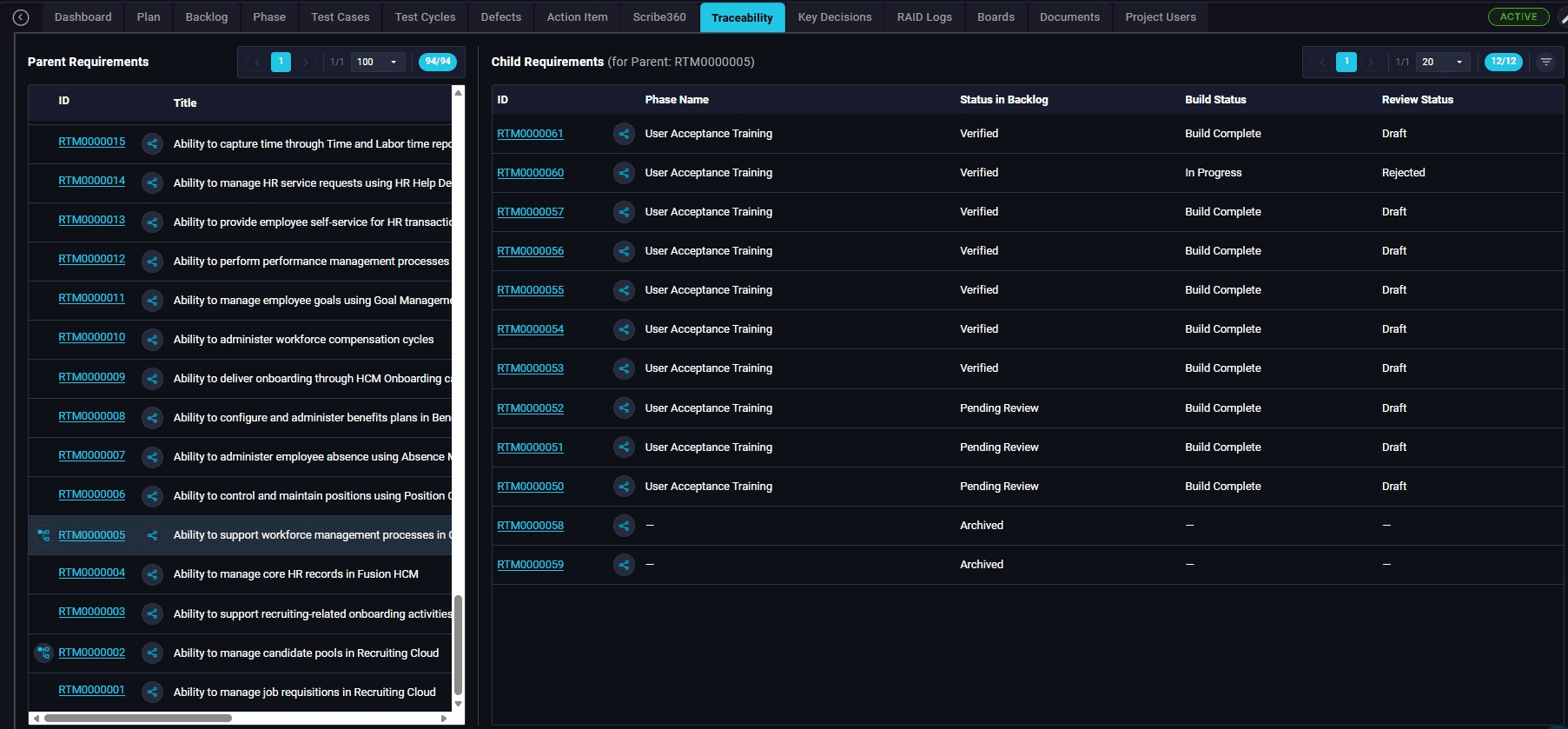
From the top navigation, click the Traceability tab to display the split view with Parent Requirements on the left and Child Requirements on the right.
Open a parent requirement's details
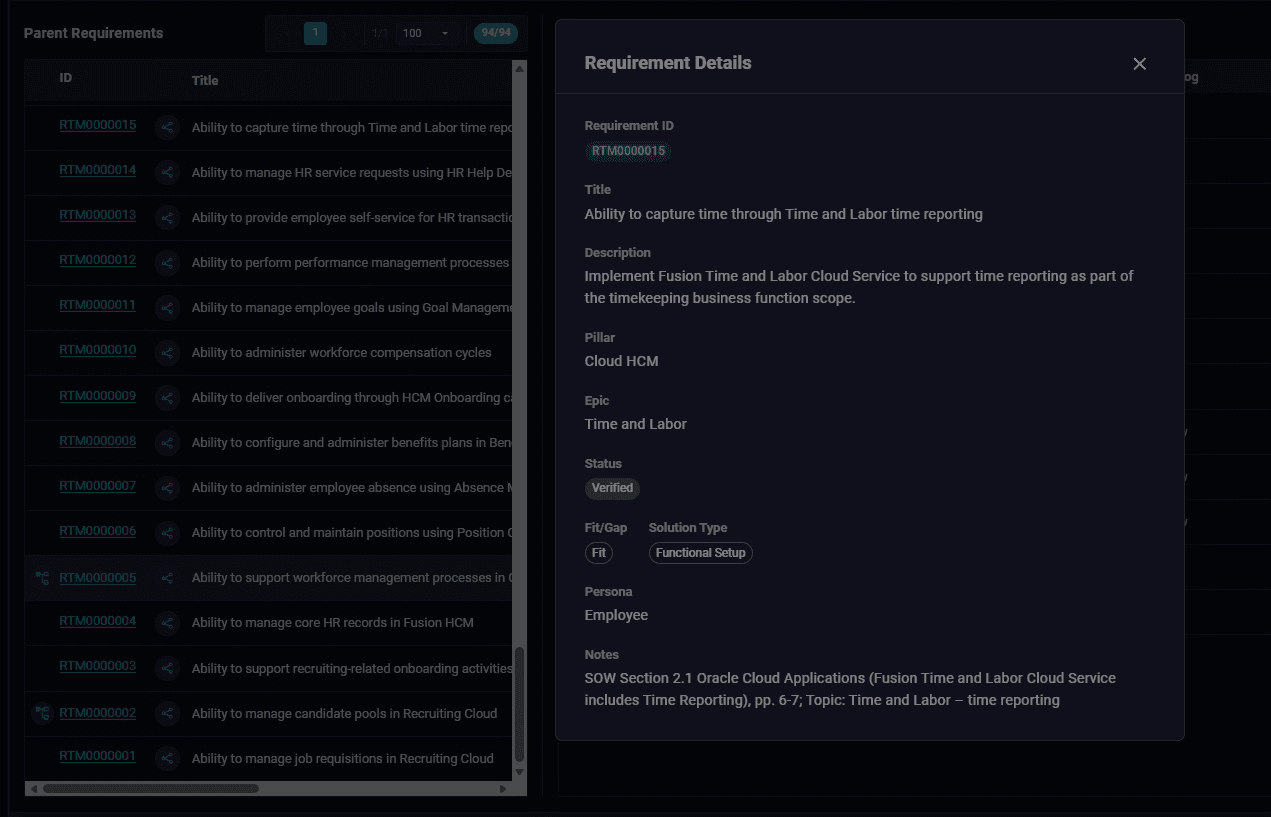
Click a parent requirement ID to inspect its details, including title, description, pillar, epic, status, fit/gap, solution type, persona, and source notes.
Use the row action to load child links
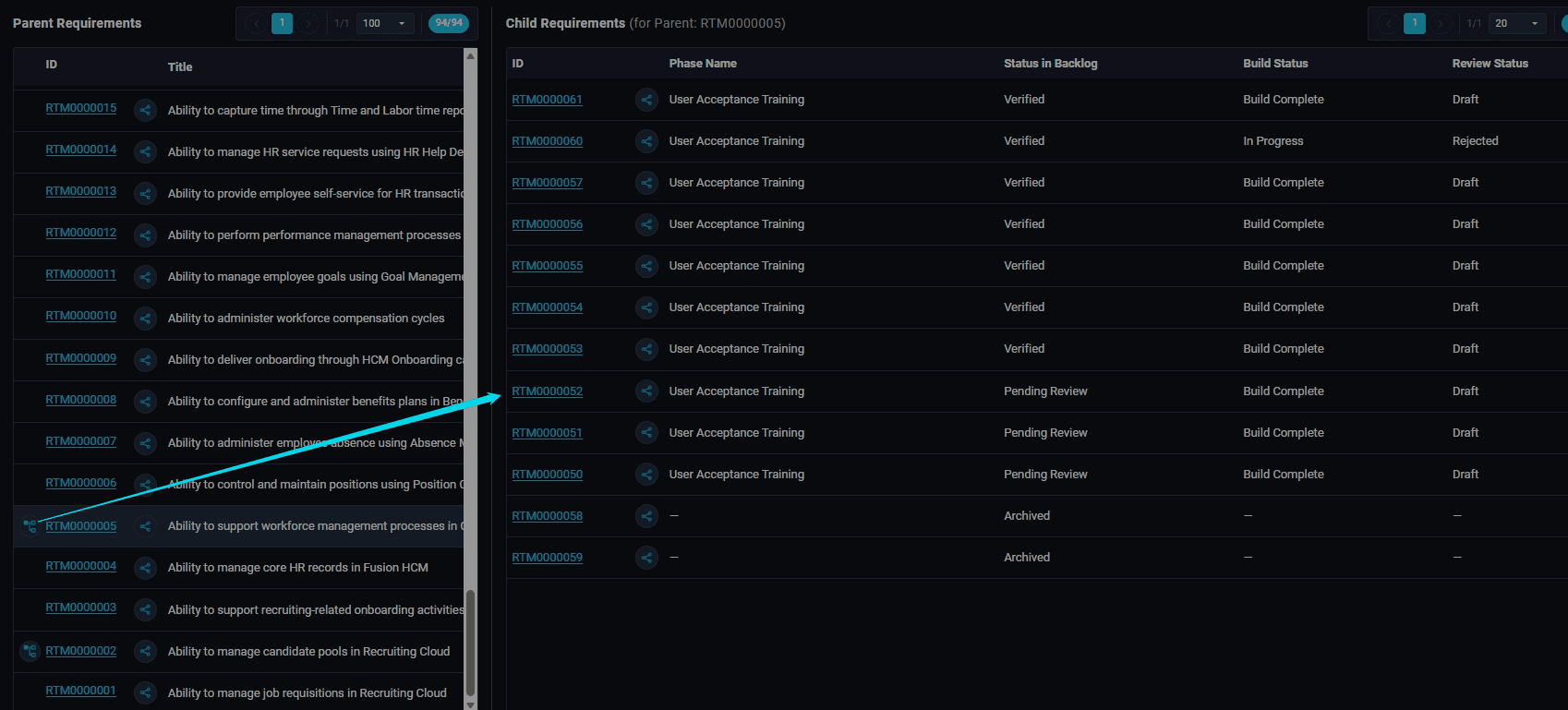
Click the row action beside the parent requirement to load linked child requirements in the right-hand pane.
Review child requirement statuses
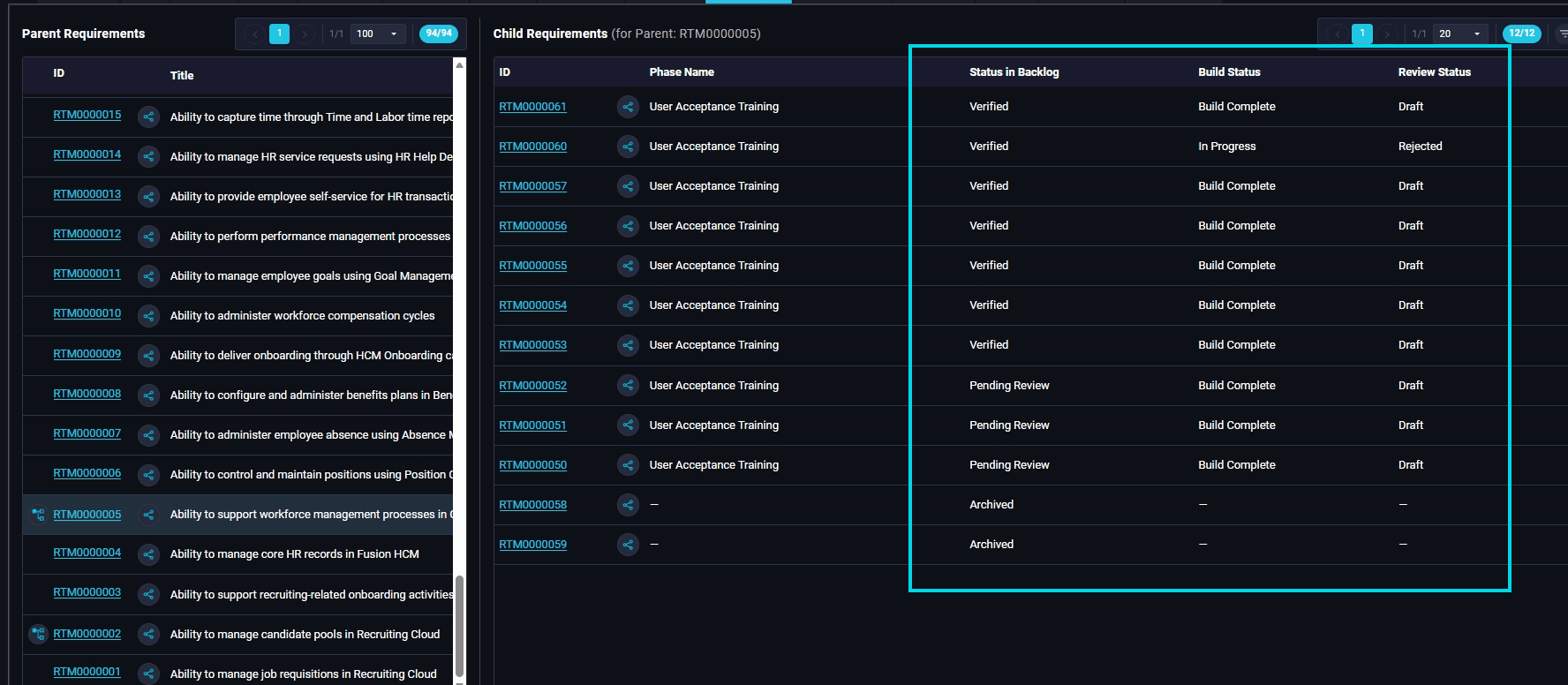
Confirm child requirements are loaded and review status in backlog, build status, and review status across the linked child records.
Open the traceability visualization
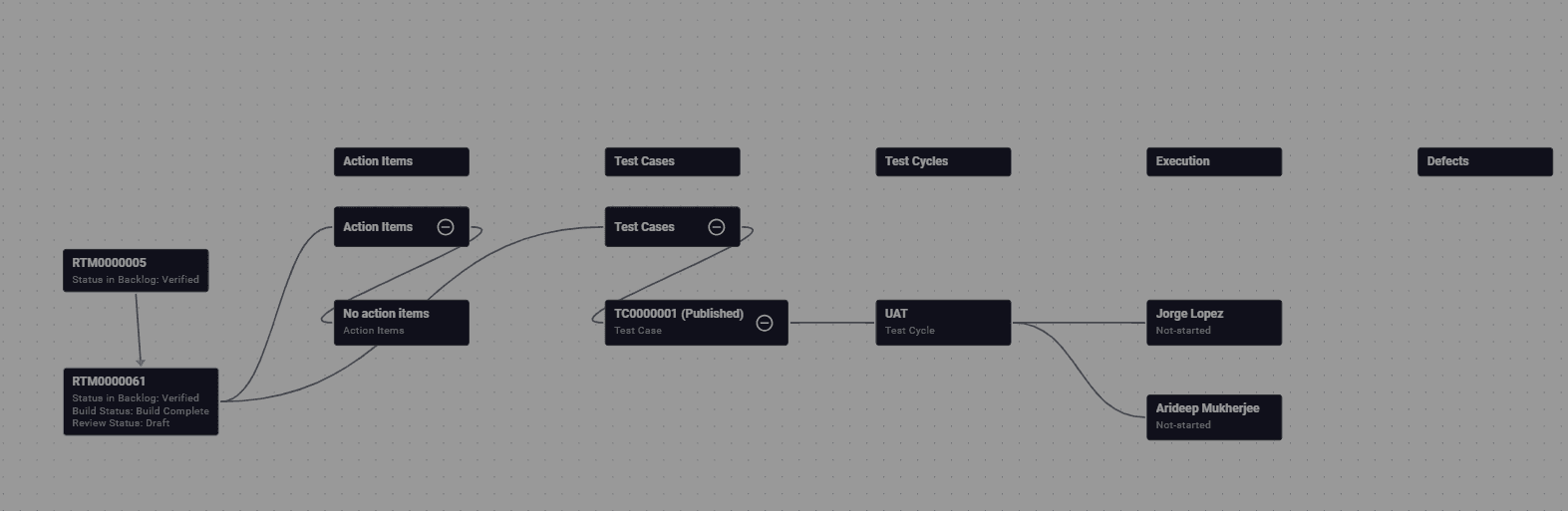
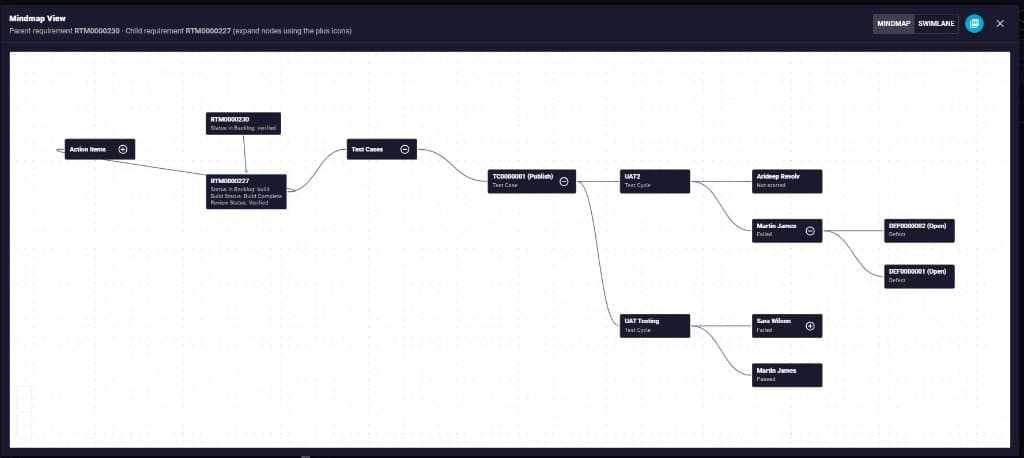
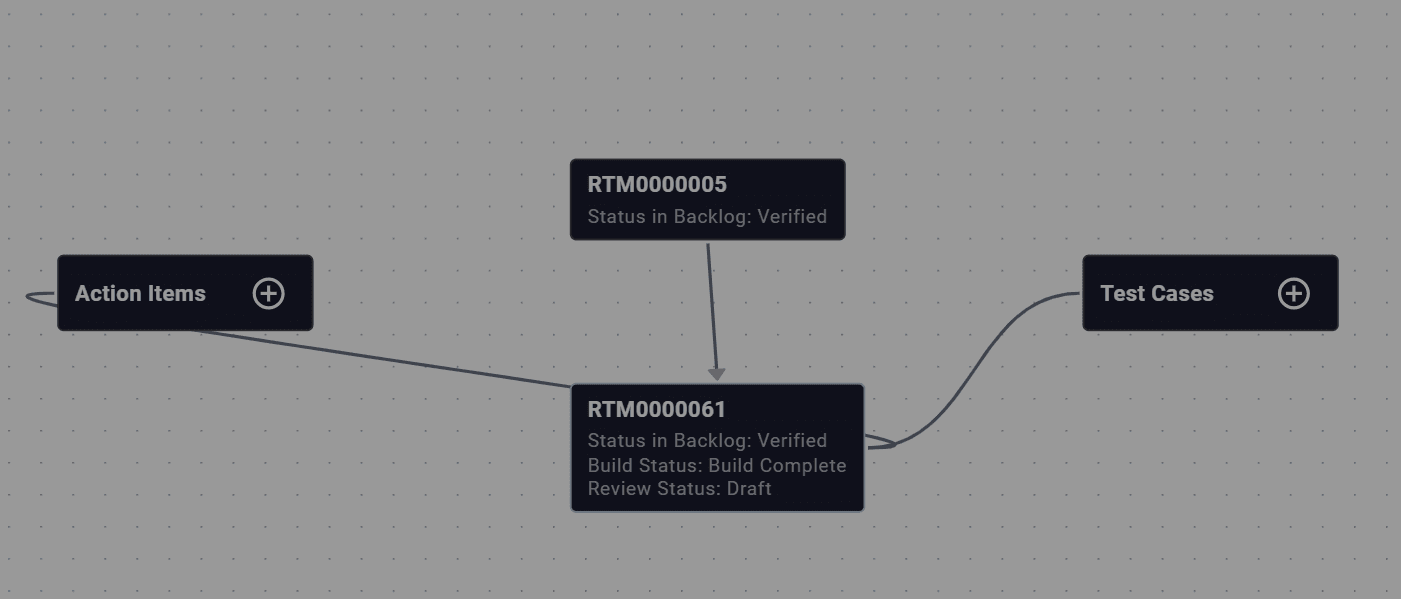
Open the visualization to see the parent and child requirement connected to downstream categories such as Action Items and Test Cases.
Scan downstream linked items
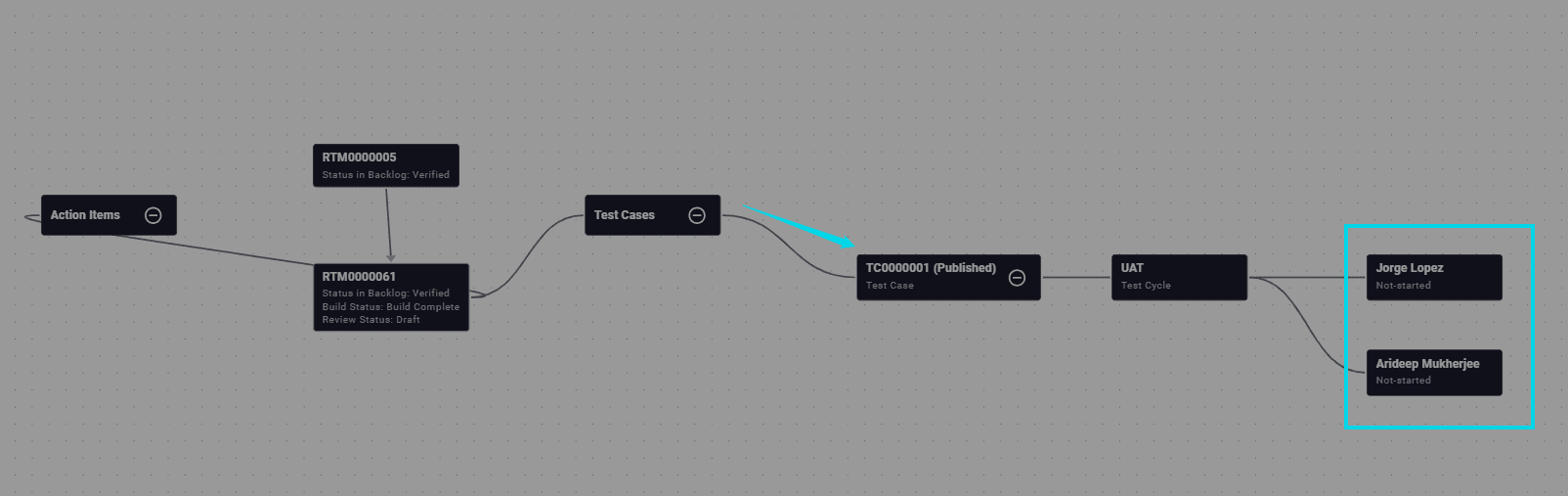
Pan across the visualization to review test cases, test cycles, and execution owners connected to the requirement path.
Collapse or expand a branch
Use the node control to collapse or expand a branch while reviewing the traceability path.
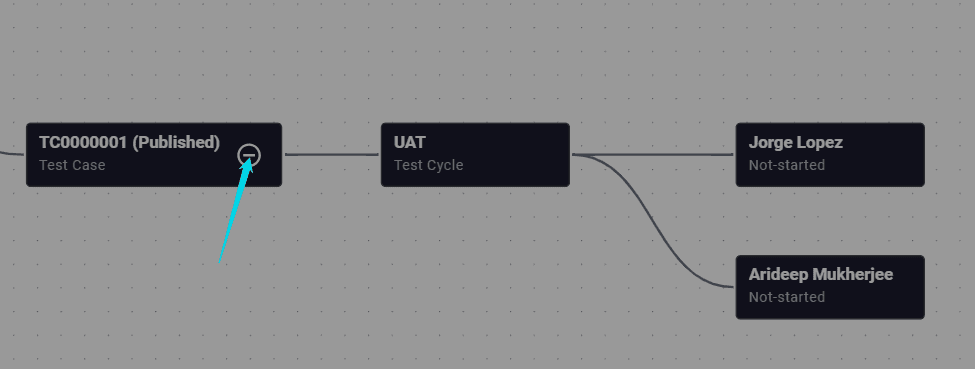
Review the full expanded traceability path
Review the expanded visualization across Action Items, Test Cases, Test Cycles, Execution, and Defects to verify end-to-end traceability.